

The wedding day, planned around the light.
Sunlight OS builds your timeline around the ceremony and the sunset, then turns one plan into the couple's timeline, your team run sheet and an on-the-day checklist.
Works in your browser on phone, tablet and computer. Nothing to install.
See how it works
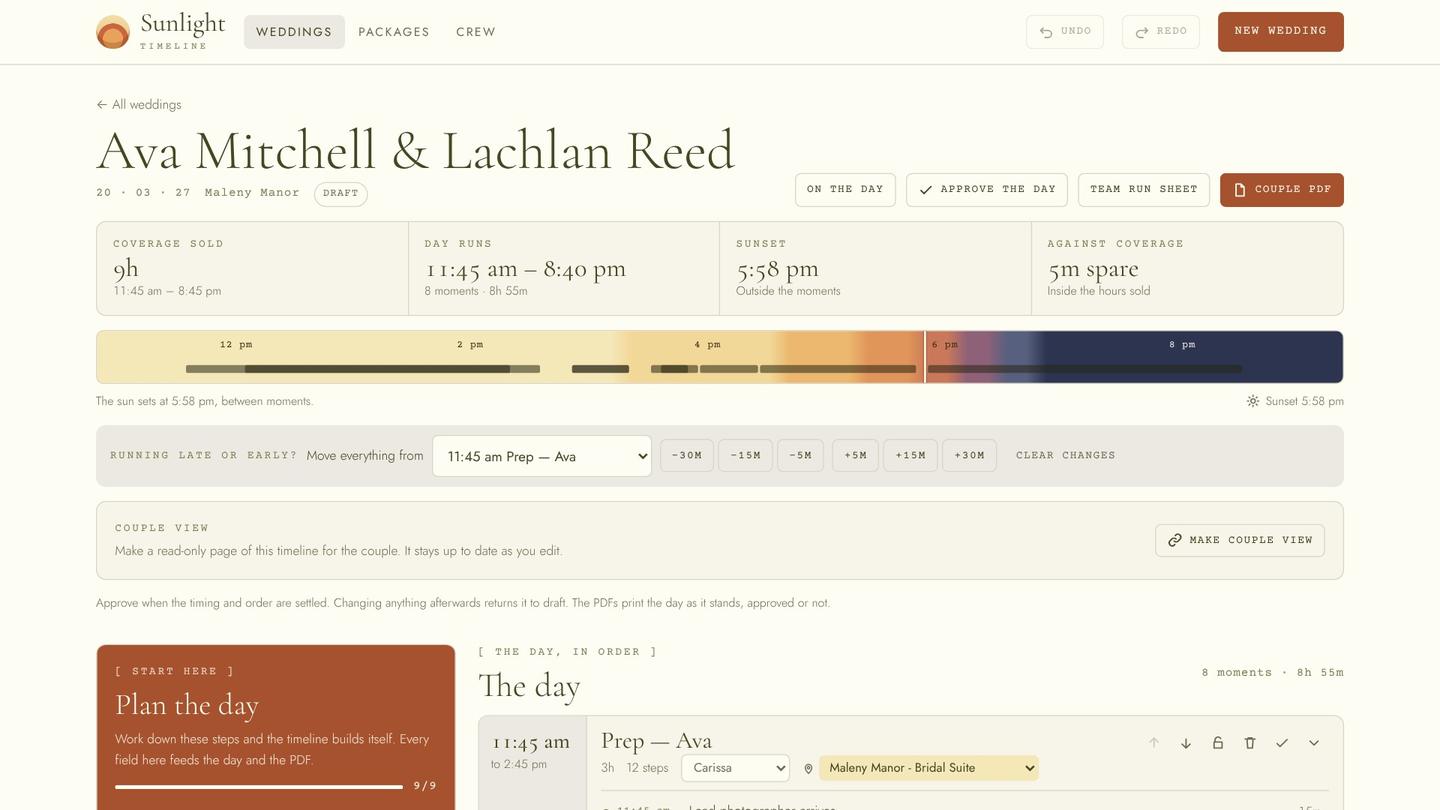
Every wedding day hangs on two times: the ceremony and the sunset.
Everything else has to fit around them. Sunlight OS does that maths for you, so you can spend your time on the couple, not the spreadsheet.
Your way, saved
Set up your packages once. Every new wedding starts from your best day, not a blank page.
Built around the light
The day works back from the ceremony, with golden hour, sunset and blue hour marked on every timeline.
Change one thing
Move a moment and every time after it follows. Held moments, like the ceremony, stay put.
One plan, every document
The couple's PDF, the team run sheet, a live couple link and the on-the-day checklist, all from the same plan.
From package to wedding day
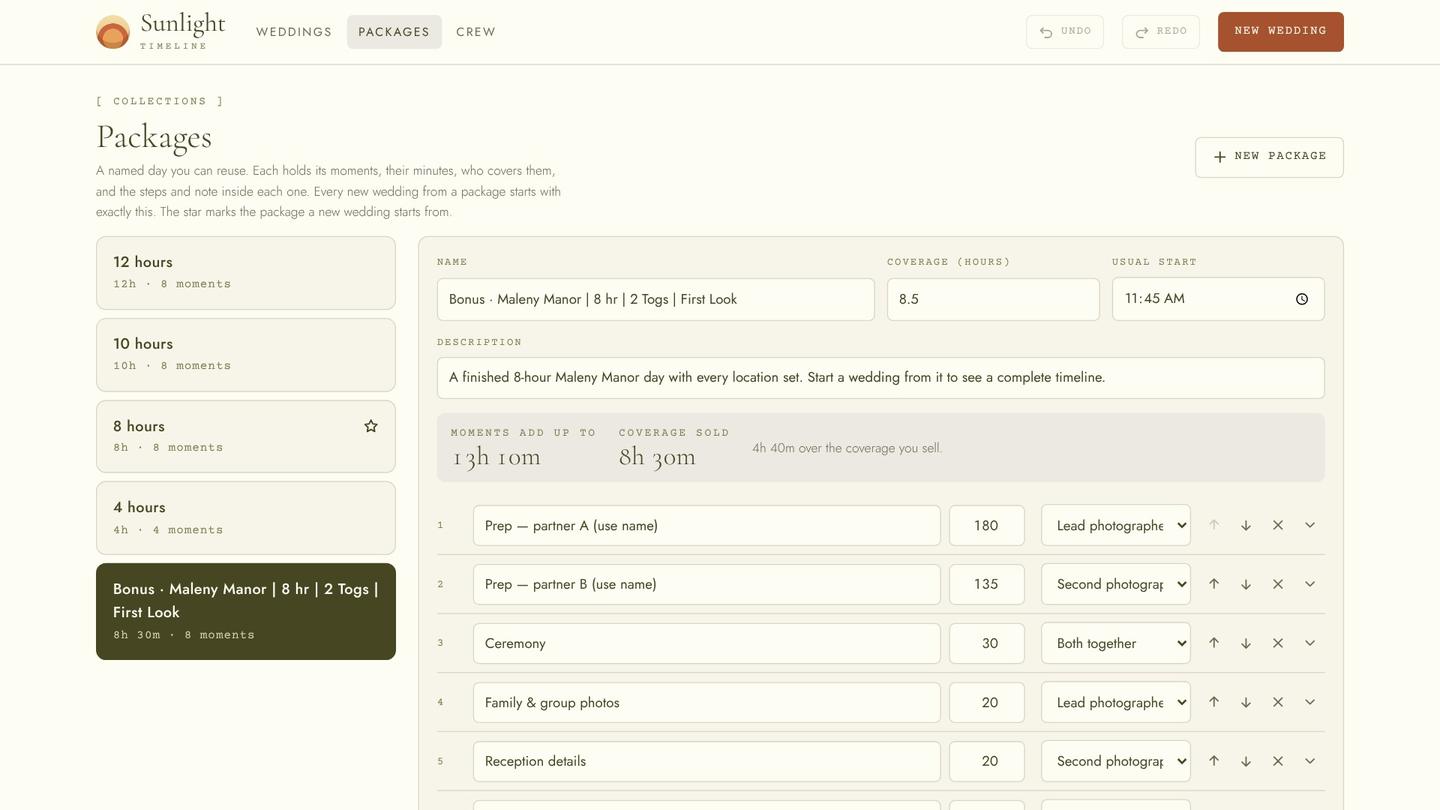
Set up your packages once
Four, eight, ten or twelve hours. Each holds your moments in your order, with the steps, minutes and notes you always use.
Includes a finished 8-hour venue day to start from.
Start a new wedding
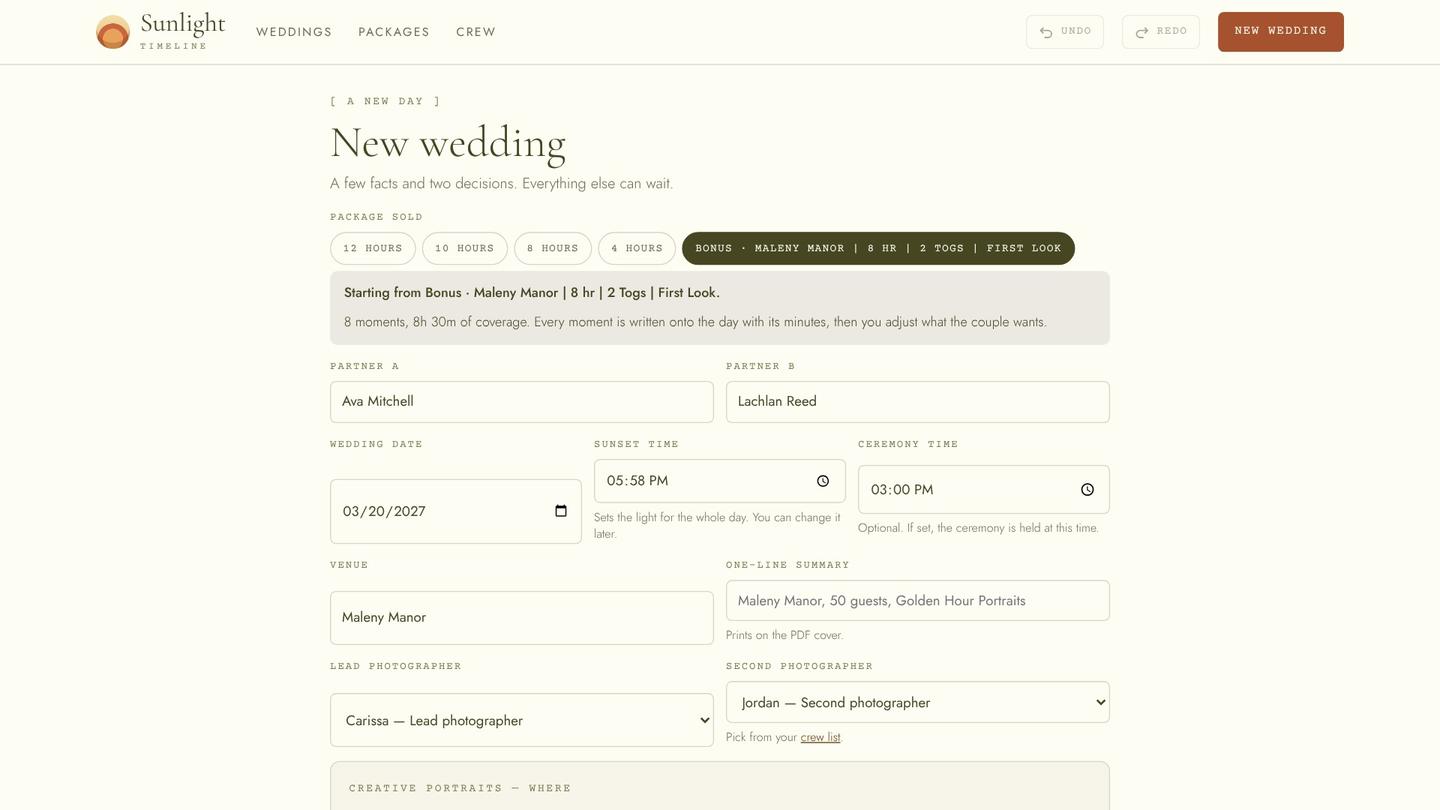
Add the couple, date, venue, ceremony time and sunset. Pick the package and your team.
The whole day is built in seconds, working back from the ceremony.
Shape the day
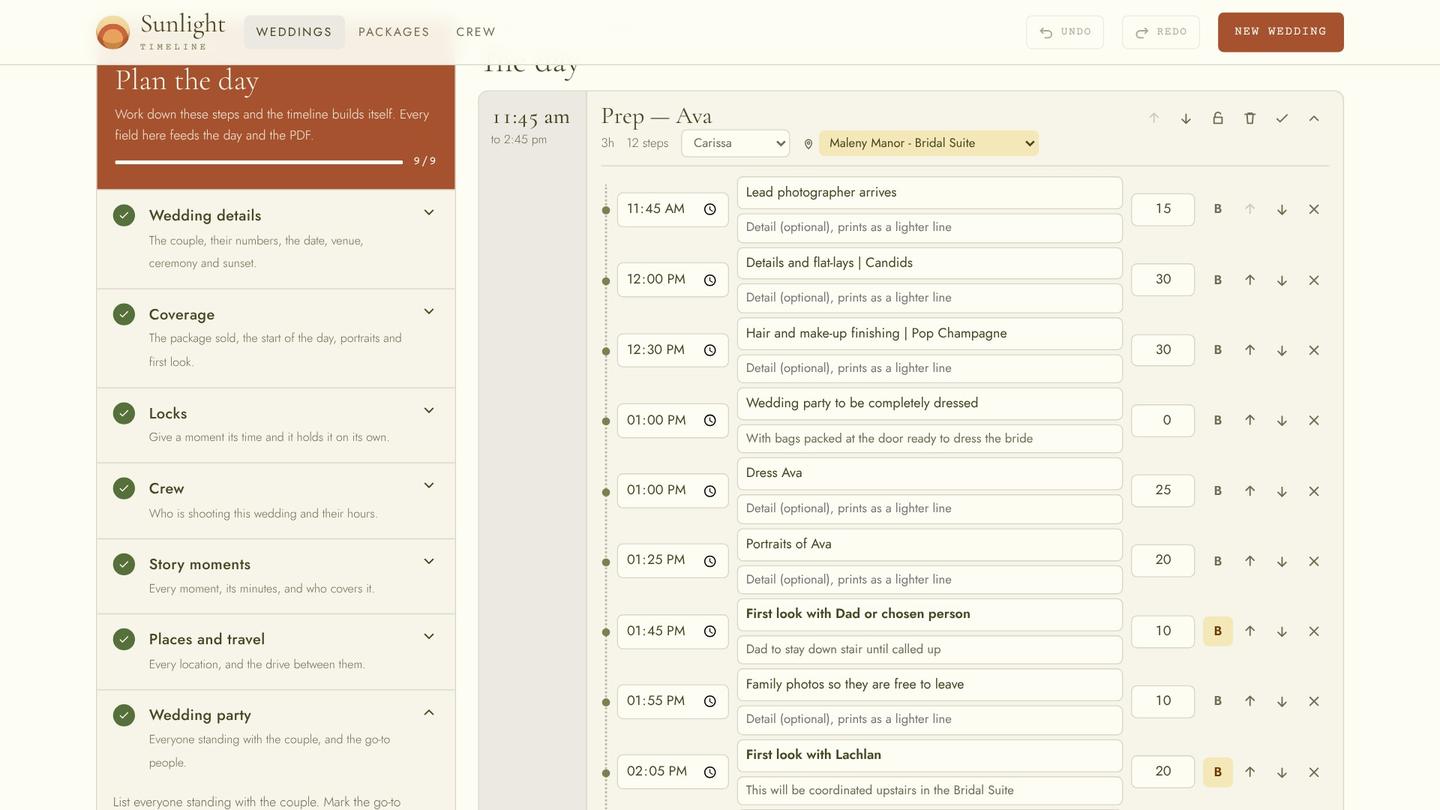
Tap a time to move a moment. Edit any step, add a location, travel or a buffer, and lock moments once they're final.
If the day runs over the hours sold, Sunlight OS tells you and you choose what to trim.
Share it beautifully
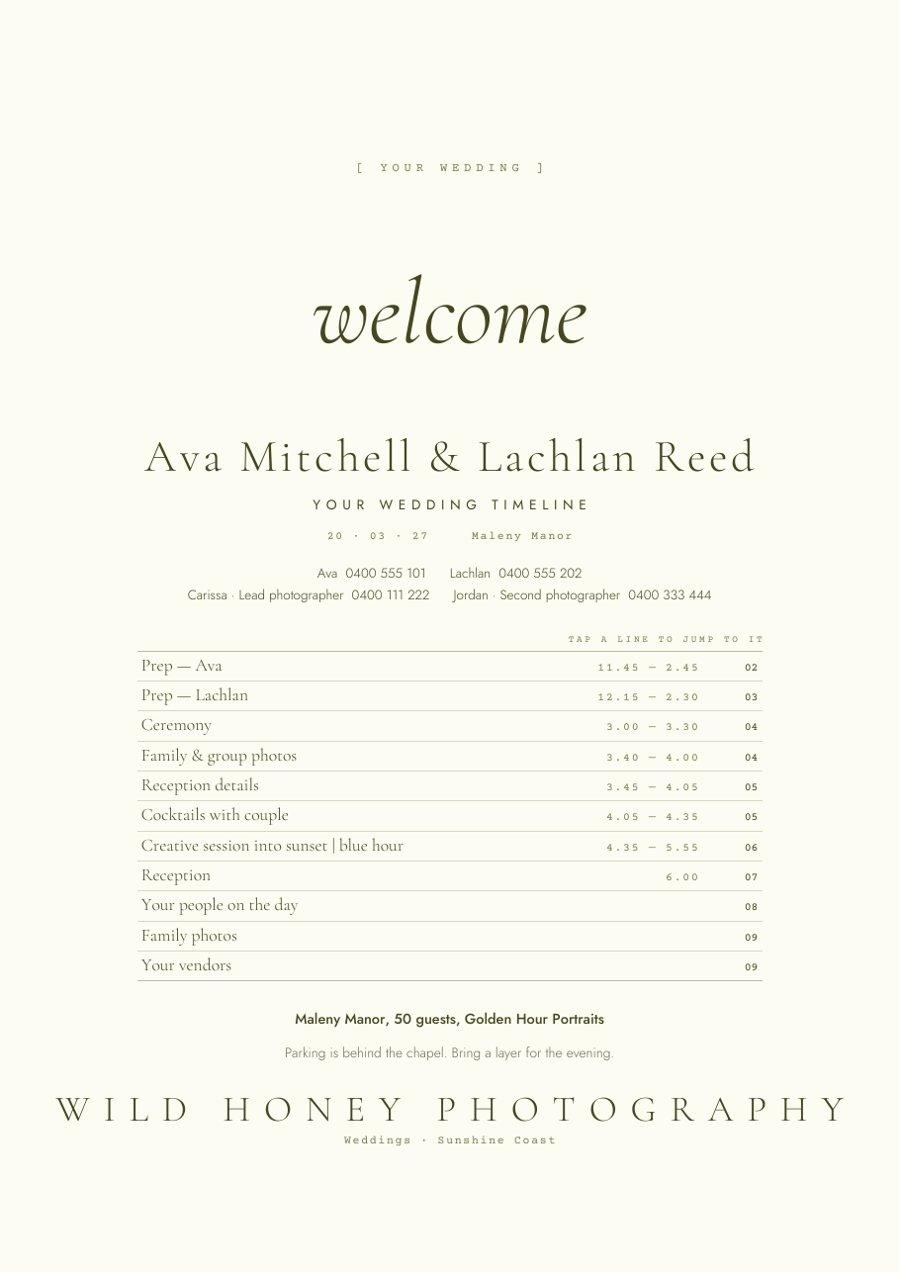
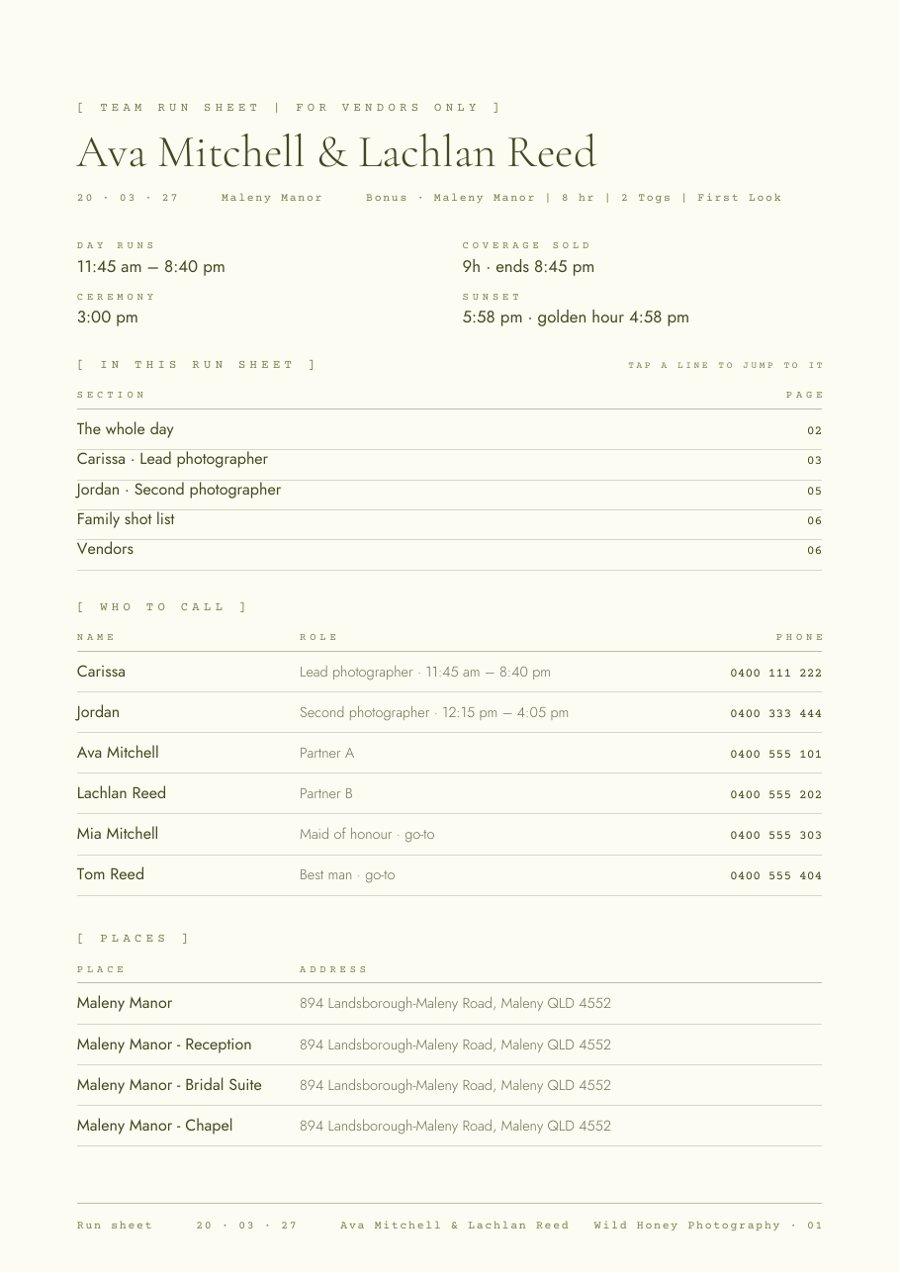
A calm, clear timeline PDF for the couple, with links to every section, and a team run sheet with every phone number, a page per person and tick boxes.
Your second shooter and vendors know exactly where to be.
Run the day
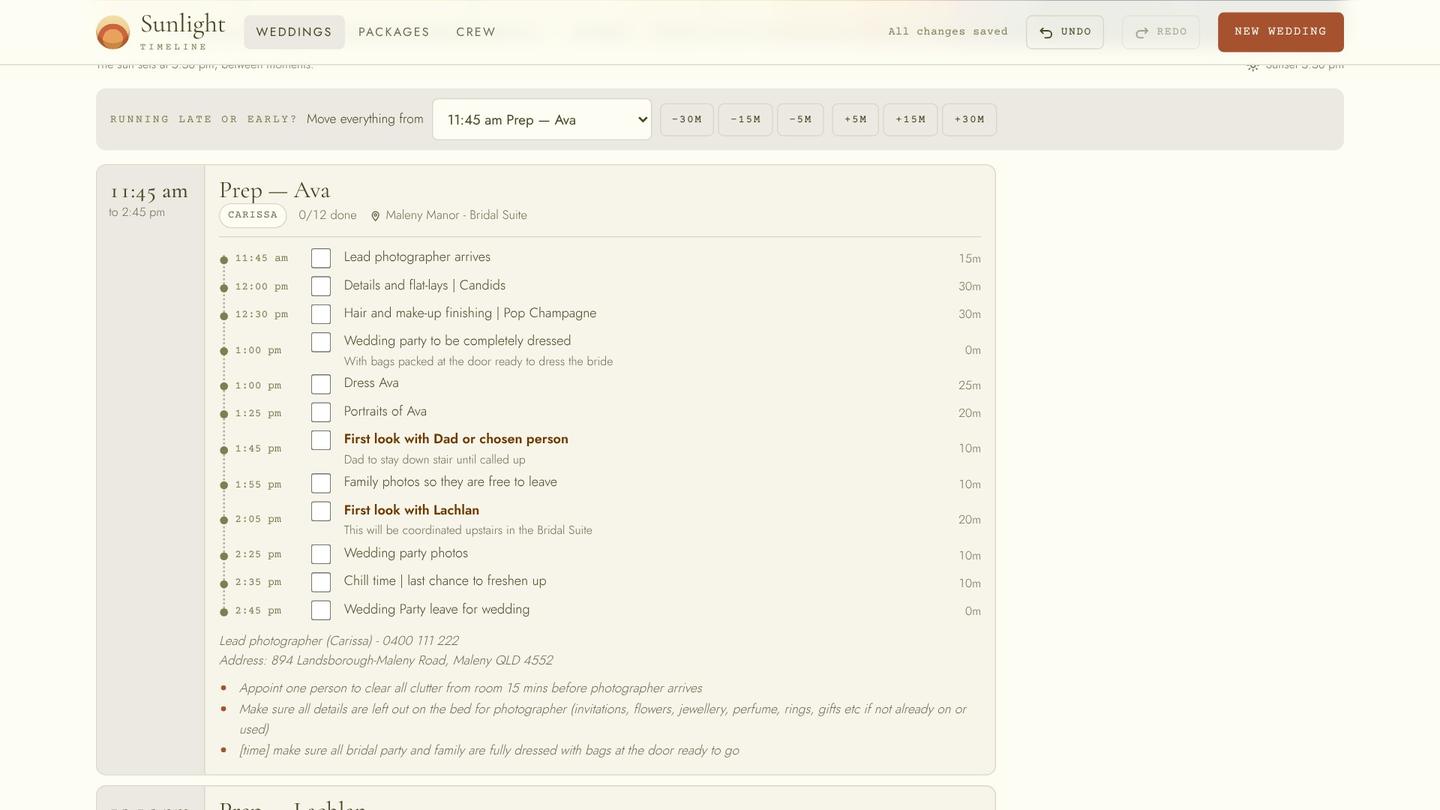
Tick off each step as it happens. Running late or early? Shift the rest of the day in one tap.
Everyone stays on the same page, even when the day doesn't go to plan.
Make it yours
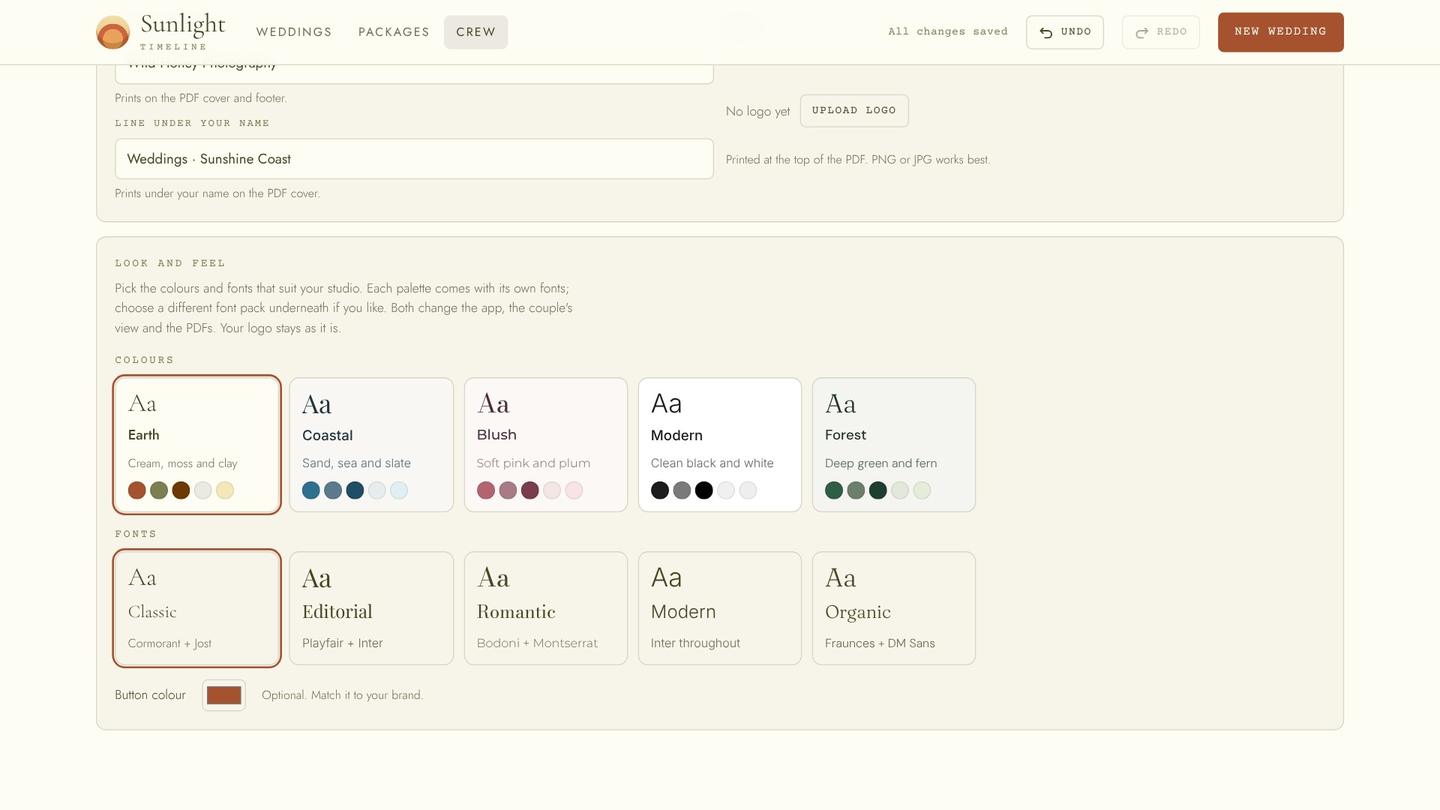
Five palettes, five font packs, your own colours and your logo, carried through to every PDF.
It looks like your studio.
coming soon
"I rebuilt the same timeline by hand for years, in spreadsheets, notes and PDFs. So I built the tool I wished I had."
Sunlight OS was made by Carissa, a wedding photographer on the Sunshine Coast, from the way she plans real wedding days for real couples.
Start with one wedding, free
Pricing is set at launch. Beta photographers get full access free while we test.
Plan a real wedding from start to finish, PDFs and all.
- No card needed
- Every feature included
For part-time and small studios. Pay only when you plan a wedding.
- Each wedding stays yours for good
- Edits, PDFs, couple link, on the day
For busy studios. Every wedding, every feature, monthly or yearly.
- Cancel any time
- Your team included
Good to know
Do I need to download an app?
No. Sunlight OS works in your web browser on phone, tablet and computer. On your phone you can add it to your home screen so it opens like an app.
What does the couple see?
Only what you share: a timeline PDF, or a read-only couple link that updates as you edit. Your team run sheet and notes stay with you and your team.
Can I use my own packages and branding?
Yes. Set your packages up once, choose a palette and fonts or design your own colours, and add your logo. Every PDF carries your studio's look.
Is it only for photographers?
It's for wedding creatives: photographers, videographers, content creators and anyone who runs a wedding day with a team.
Can I cancel?
Yes, any time. Your plan simply won't renew.
Be one of the first
We're opening Sunlight OS to a small group of busy wedding creatives. Tell us a little about your studio and we'll be in touch.
Join the beta